
Studio notes
Small business website costs: what pushes the price up or down
By Ben Dixon

Ask a few people what a small business website costs and you’ll hear very different numbers. Most of that gap comes from a handful of choices. Know them, and a quote will make sense when it arrives.
Start with what the site has to do
Price tables online rarely agree, because a website isn’t one product. A five-page site that brings in enquiries is a different job from a shop with hundreds of products.
Before you compare prices, write down what the site needs to do and who it’s for. A few honest answers in a brief will get you most of the way. It also helps to give your homepage a clear job. Once everyone quoting is pricing the same job, the numbers become easy to compare.
Count the pages, and what goes on them
Page count matters, and so does how different the pages are. Ten pages that share a couple of layouts can take less design time than five that each need their own. A page with a gallery, a form or a price list takes more work than a page of text.
List the pages you think you need and mark the ones that are similar. That list alone will make a quote more accurate.
Decide who writes the words and takes the photos
Content is often the part people forget to budget for. With copy and photos ready, the design and build can move quickly. When someone still has to write them, or a photographer has to shoot them, that adds time or cost.
My example budgets assume you supply the content, and I price photography on its own. Ask anyone quoting you how they treat content, because it changes the number.
Check whether the brand is ready
A designer can build a site around an existing logo, colours and type. If those aren’t settled yet, the brand work either happens first or becomes part of the website project.
You can see it in the price. On my services page, a five-page website for an existing brand has an example budget of £7,000 and takes around 4 to 6 weeks. A new identity and website, developed as one project, has an example budget of £15,000 and takes around 6 to 8 weeks. Both figures are illustrative, not fixed quotes. If you’re not sure whether you need new brand work, this note on logos and clearer brands may help.
Choose the platform to fit the job
The platform affects the build cost and the running cost. Website builders charge a monthly subscription. At the time of writing (2 November 2026), Squarespace lists its Basic plan at £14.40 a month paid annually, or £19.20 paid monthly, including estimated VAT. Shopify lists its Basic plan at £19 a month paid yearly, or £25 paid monthly.
Those subscriptions pay for the platform. Design, content and your time come on top. I’ve written about picking the platform for your website last, once you know what the site needs to do.
Add up the integrations and the shop
Every connection to another system needs setting up and testing. Bookings, payments, a newsletter, a customer database or stock control can each add to the scope.
An online shop adds the most. Someone has to load the products, test the checkout and look after orders. That’s why ecommerce sits outside the example budgets on my services page.
Budget for the years after launch
A website keeps costing money after launch. It needs hosting, a domain renewed every year, software updates, backups and the odd change.
On a website builder, the subscription covers most of that. Squarespace says hosting is included in all its plans, and its annual plans add a free domain for the first year, which then renews at the standard rate. With self-hosted WordPress, someone has to look after hosting, updates and backups. That might be you, your developer or a managed hosting provider. Whichever route you take, keep the domain registered to you or your business.
Compare DIY, freelancer and studio fairly
A DIY builder usually costs the least in cash and takes the most of your own time. It can be a sensible place to start if the site is simple and you enjoy the work.
Freelancers and studios charge for the build, and their prices vary a lot. What each price includes tells you more than the number. Does it cover planning the content? Design as well as build? How many review rounds? What happens after launch?
Before I start a project, we agree the deliverables, review rounds, fee and schedule in writing. Ask anyone else you’re considering to put the same in writing. Check whether VAT is included, too.
Work out a sensible starting point
A builder and an afternoon are enough for some businesses right now. If the site is how most customers find you, it’s worth investing properly. Either way, decide what the site has to do, then set the budget around it.
For a sense of scale, look at my example budgets. Then tell me a little about the project and we’ll work out where it’s likely to land.
Studio notes
An AI logo or a designer: where the free tools are fine and where they cost you later.
By Ben Dixon
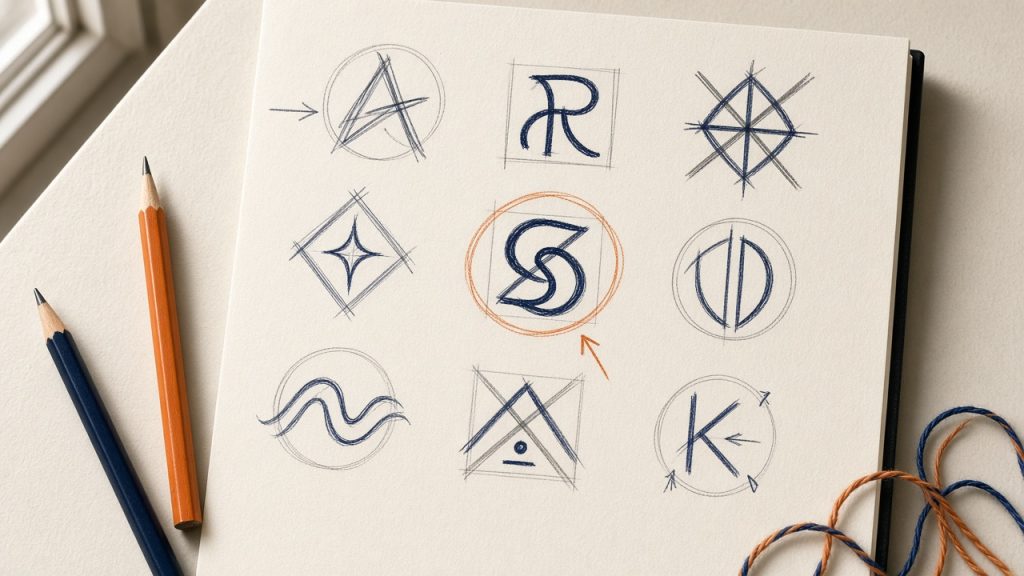
AI logo makers and templates can give you a usable logo in an afternoon. Sometimes that’s all you need. Here’s how to tell, and what to check before you build a business on one.
Start with how long it needs to last
Ask yourself one question first. How long will this logo be around?
A pop-up, an event, a side project or a test of a new idea might only need a logo for a few months. The name on your van, your packaging and your shopfront is a different matter. It’s likely to be with you for years, and you’ll want to know it’s yours.
Where the free tools are fine
Logo makers are good at getting something on screen quickly. That’s useful when you’re testing whether an idea has legs, or seeing how a name looks written down.
Canva puts it fairly itself. It says a logo template is “a great way to create a logo if you’re just starting out and you’re not worried about having exclusive rights”.
If that’s where you are, use one. Keep it simple, treat it as a placeholder and spend the money on testing the idea.
Check what you actually own
This is where the details matter. Each tool has its own terms, and they’re worth ten minutes of your time.
Canva says its logo templates can be used by anyone. Your rights are non-exclusive, and you can’t register a template logo as a trade mark. Its content licence also rules out using its library content as part of a trade mark or business name, with fonts as the exception. Canva does say you can build an original logo from its fonts and simple shapes, or upload one you’ve commissioned.
Looka says you own your purchased logo as a whole, but not the individual icons and fonts in it. Those come from a database and aren’t removed after you buy. Its terms also recommend that you check for yourself that the design elements aren’t subject to third party rights.
So the icon in your logo could turn up in someone else’s. If you’re using a different tool, look for the words “exclusive”, “licence” and “trade mark” in its terms.
Think about trade mark protection
A logo can be registered as a trade mark. GOV.UK says a trade mark can’t be too common or non-distinctive. You may also not be able to register one that’s the same as, or similar to, a mark used by another business selling the same goods or services.
Before you apply, search the trade mark register for anything close. If you find something, GOV.UK’s advice is to get professional advice first. Free advice is available from the IPO, an IP clinic or the British Library Business and IP Centre. I’m a designer, not a lawyer, so take this as a list of things to check, not legal advice.
Remember a logo is one piece
A logo maker asks for your name, your industry and perhaps a style you like. It can’t ask who you’re for, what makes you different or where you meet your customers.
Those answers shape the mark. Social Buzz Hub is a social media agency in Chelmsford. The route the client chose was built around a simple idea: conversation. Chat shapes are worked into the lettering, linking the name to the exchanges at the heart of social media.
If the logo isn’t the real problem, a new one won’t fix it. That’s worth reading about in do you need a new logo, or a clearer brand?
Where it can cost you later
If the business grows, a free logo can start to cost you. You might decide to register a trade mark and find the logo doesn’t qualify. A competitor might use the same icon from the same library. By then the logo could be on your van, your packaging and your signs, so changing it would mean paying for all of them again.
None of this is certain, and none of it makes the tools wrong. The cheap option and the long-term option just aren’t always the same one.
Choose for the stage you’re at
Sometimes a template is the right call for now. Sometimes the name is about to go on a shopfront and a trade mark application, and it’s worth owning the logo outright. Start with how long it needs to last, then choose.
If you’ve started with a logo maker, that’s a useful starting point. Tell me a little about the business and we’ll work out whether it needs a designer yet.
Studio notes
Pick the platform for your website last.
By Ben Dixon
Choosing between Wix, Squarespace, Framer, Shopify and WordPress? First decide what your website needs to achieve, what it must do and who will keep it up to date.
Start with the brief
It’s easy to choose a platform before you’ve decided what the website needs to do. A friend recommends one, a template catches your eye and the monthly price looks reasonable.
The difficulty comes when you discover a requirement you hadn’t considered. Perhaps the site needs to take bookings, connect to your customer database or support a growing library of articles. A platform change at that point can mean paying to build parts of the site twice.
Before comparing editors and templates, answer these four questions.
What is the website’s main job?
Who is it for, and what should they do next? Send an enquiry, buy a product, book an appointment or return for useful advice?
A website built to attract project enquiries needs a different structure from an online shop with hundreds of products. Decide what success looks like before choosing the tools.
If you’re still working that out, start with a few honest answers in a website brief. Then give your homepage a clear job.
What does it need to do now and later?
Write a straightforward list of requirements. Payments, bookings, articles, multiple languages and connections to existing business tools are all worth considering.
Mark each one as essential or nice to have. Then look a year ahead. If you expect to start selling products or offer online bookings, include that in the brief now.
You don’t need to build every future feature at launch. You do need to understand whether the platform can support it, what it might cost and whether it relies on another service.
Who will look after it?
Think about who will update the website, how often and how comfortable they are with the editor. Ask to try the tasks you’ll actually do: changing a price, adding a case study or publishing an article.
Hosted services typically handle the underlying hosting and platform updates. With self-hosted WordPress, someone needs to take responsibility for hosting, software updates and backups. That might be you, your developer or a managed hosting provider.
Include the ongoing work in your decision. A flexible website is only useful if someone can keep it current.
What happens if you need to move?
Ask what you can take with you if your needs change. That includes your domain, written content, images, customer data and any functionality the business depends on.
Exporting content and moving a complete website are different things. A new platform may still require a new design, rebuilt integrations and redirects from old page addresses.
Wix explains its hosting and export restrictions, while Squarespace lists what its export tool includes. Check these details before committing. For self-hosted WordPress, confirm who controls the hosting account and can provide the files and database.
Then compare the platforms
With those answers in place, compare a shortlist against the same requirements. These are useful starting points rather than fixed rules.
- Online retail. Include Shopify in your shortlist and compare payment options, stock management and the full cost of running the shop.
- A marketing or portfolio website. Compare Framer, Squarespace, Wix and WordPress against your design, content and editing requirements.
- A growing publication or a site with several integrations. Consider WordPress alongside alternatives, allowing for the development and maintenance involved.
- A site you’ll manage yourself. Test the editor before deciding. Check which features are included and which need a higher plan or paid add-on.
A couple of common questions
Which platform is best for SEO? Check that it supports the basics you need, including editable page titles, useful page addresses, redirects and indexable content. The quality of your content, site structure and visitor experience also matters. A platform alone won’t bring in enquiries.
How long will the website take? Scope, content preparation, integrations and feedback all affect the schedule. Agree those before treating a platform’s promise of a quick launch as your project timeline.
Choose the tool that fits the job
This site runs on WordPress because it suits the way I want to publish and manage the content. Another business may need something different.
Sometimes the right answer is the platform you already have. Sometimes moving will make the website easier to manage or give it room to grow. Start with the brief, then choose the platform that meets it.
If you’re weighing up the options, tell me what your website needs to do. We’ll work out a sensible starting point together.
Studio notes
Give your homepage a clear job.
By Ben Dixon
A useful homepage helps someone understand the offer, believe in it and see an easy next step.
Answer the first question
Imagine a visitor landing on your homepage without the conversation that usually introduces your business. They do not have your context. The opening needs to help them understand what you offer and whether it is relevant to them.
A distinctive headline can create interest, but it needs clear supporting language. If you removed the company name and the imagery, would the words still say something specific about your business? If not, there may be an opportunity to make the offer clearer.
Bring the evidence forward
Once the visitor understands the offer, give them a reason to believe it. Depending on the business, that could be a real project, a product in use, an explanation of your approach or a client’s own words. Choose evidence that answers the questions someone is likely to have.
For a design studio, showing the work early helps connect the promise to something visible. The project becomes more useful when it explains what was needed and why the design takes the form it does. Attractive imagery and a clear story can do different parts of the same job.
Make the next step feel manageable
Contact can feel like a commitment when a visitor does not know what happens next. A small amount of context helps: what they can send, who they will speak to and whether they need to have a finished brief.
The invitation should match the point they have reached. Someone exploring a studio may be ready to start a conversation before they are ready to book a paid piece of work. Give them a sensible way to express that interest.
Edit for a person with limited time
Read each section and ask which question it answers. If two sections make the same point, bring them together. If a paragraph needs a long explanation to earn its place, consider whether it belongs on a more detailed page.
A homepage does not have to contain everything. It needs to introduce the business and help the right person find what matters next. The quieter the structure, the more responsibility each piece of content has to be useful.
Studio notes
A useful website brief starts with a few honest answers.
By Ben Dixon
You don’t need a long document. You need a clear starting point, a real audience and a sense of what the website should help them do.
Explain the business before the pages
Start with what you do, who it is for and why someone chooses you. Write it as you would explain it to a person you have just met. A designer can help with the wording, but understanding the business is the foundation of a useful website.
Then describe the reason for the project. Are you launching a service, replacing an awkward site or finding that visitors ask the same questions before they contact you? Include what you already know and what still feels uncertain. Both are useful.
Choose the important next step
Think about what a visitor should be able to do after looking around. For a service business, that might be sending a project enquiry. For another business, it might be choosing a product, arranging a visit or understanding how something works.
There can be several useful actions, but give them an order. If every page asks visitors to book, subscribe, download and follow at once, deciding what matters becomes their job. A clear brief helps the design create a more deliberate path.
Show what you already have
Gather the practical ingredients: brand files, existing copy, photography, case studies and any content that must carry across. Note what is current and what needs work. If you have an existing site, identify pages people still rely on and anything you would be happy to lose.
References are useful when you explain what you like about them. Instead of “make it like this”, point to the clarity of the navigation, the way projects are explained or the balance of text and imagery. Your site still needs to respond to your own audience.
Be open about the practical limits
Share a realistic budget range, any meaningful deadline and who needs to approve the work. Mention integrations or features that are essential. A simple marketing site and a site with bookings, payments or a large catalogue need different conversations.
You do not need to solve every technical detail before getting in touch. A short note covering the business, audience, purpose, content and constraints is enough to begin. The next step is to turn that starting point into an agreed scope together.
Studio notes
Do you need a new logo, or a clearer brand?
By Ben Dixon
Before changing how your business looks, get clear on what needs to change for the people you want to reach.
Start with the reason for the change
A new logo can feel like a fresh start. It is visible, tangible and easy to put at the top of a to-do list. But before commissioning one, write down what is actually prompting the change. Has your audience shifted? Has the offer grown? Does the business feel more established than its identity suggests?
“We’ve outgrown it” is a useful beginning, but it needs another sentence. Describe what you can do now that the existing brand no longer communicates. That gives the design work something concrete to respond to.
Separate the message from the expression
If people struggle to explain what your business does, a different typeface is unlikely to resolve the whole problem. You may need a clearer proposition, a better way to describe the service or a more focused audience. These are questions of direction before they become questions of appearance.
If the story is clear but the identity feels inconsistent, dated or difficult to use, the task may be more focused. The work could be a refinement: a better type system, clearer colour roles or a practical set of templates. A complete replacement is only one possible answer.
Look at the moments that matter
Put your current materials next to each other: the homepage, a proposal, a social post and anything a customer receives. Ask what stays consistent and where the message gets lost. Do these things feel like they belong to the same business? Can someone see the offer without you explaining it?
Choose a few real situations to test the next direction against. A logo seen on a large presentation slide has a different job from a small mark on a phone. The identity needs to work where your audience will actually meet it.
Give the project a useful definition of success
Agree what the change should make easier. That might be explaining a new service, presenting a premium product more clearly or helping your team produce consistent materials. These are more useful starting points than “make it pop”.
The best brief leaves room for the right answer. Sometimes that is a new identity. Sometimes it is keeping what people recognise and making the rest work better. Start with the problem, and let the design earn its place.